Assigning a shortcut key to any application in Windows OS
Windows04 Jan 2013
I'm going to explain this artcile with "Notepad" applicaiton. After reading this post, you'll be able to launch the "Notepad" application with a keyboard shortcut in Windows.
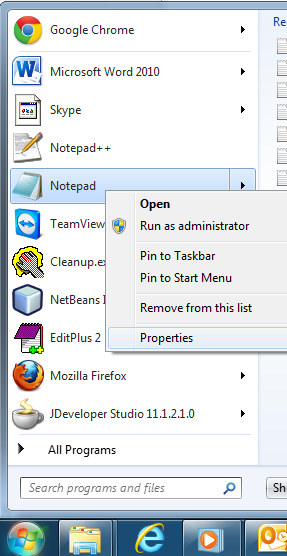
Locate the program and right click on it to get a context menu, choose properies.
You'll get to see the properties dialog box as displayed below
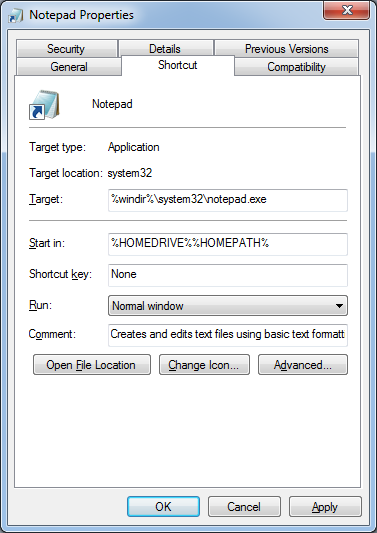
Place the cursor in "Shortcut key" field and choose a key. Just press "S", you'll get to see "Ctrl + Alt + S".
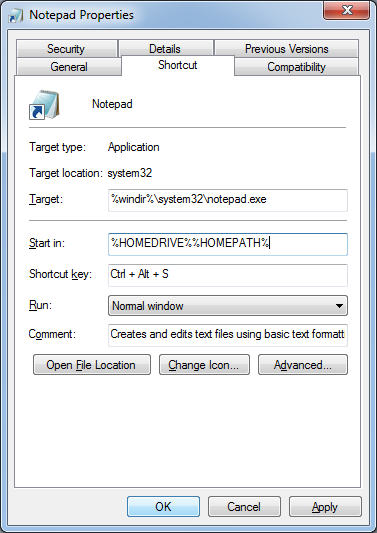
Click "OK". That's it. You're all done. Just press "Ctrl + Alt + S", Notepad program will be launched.
You can assign keyboard shortcut to any Windows application.